Unity Intercom is a powerful comms system that connects remotely over WiFi or cellular data.
Download the app on your phone:
– Iphone
– Android
Open the app on your phone and fill in the fields:
Username = camera 5 (camera<space>5)
Password = sbcintercom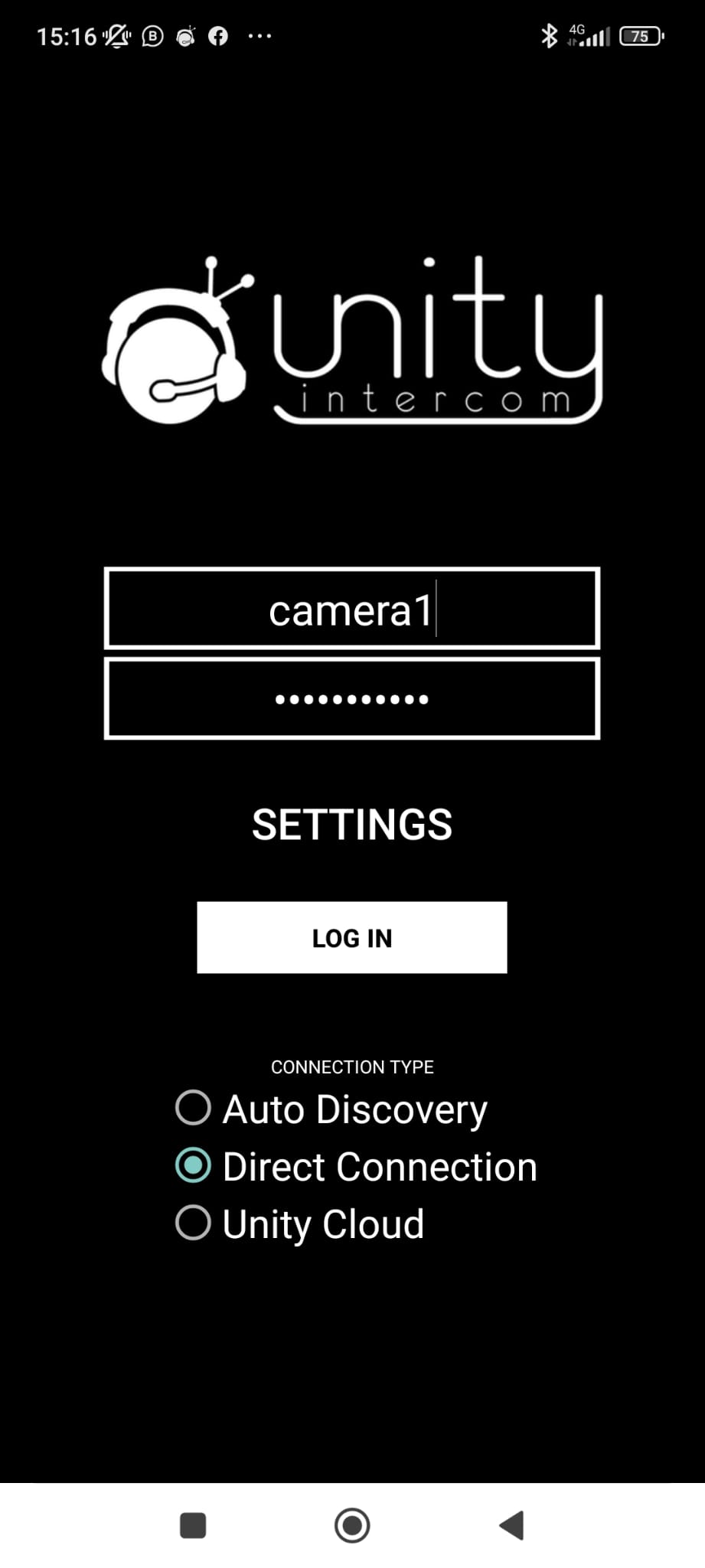
Now go to “SETTINGS” and make sure you fill in the following numbers:
84.85.230.197 | 20101
192.168.0.250 | 20101
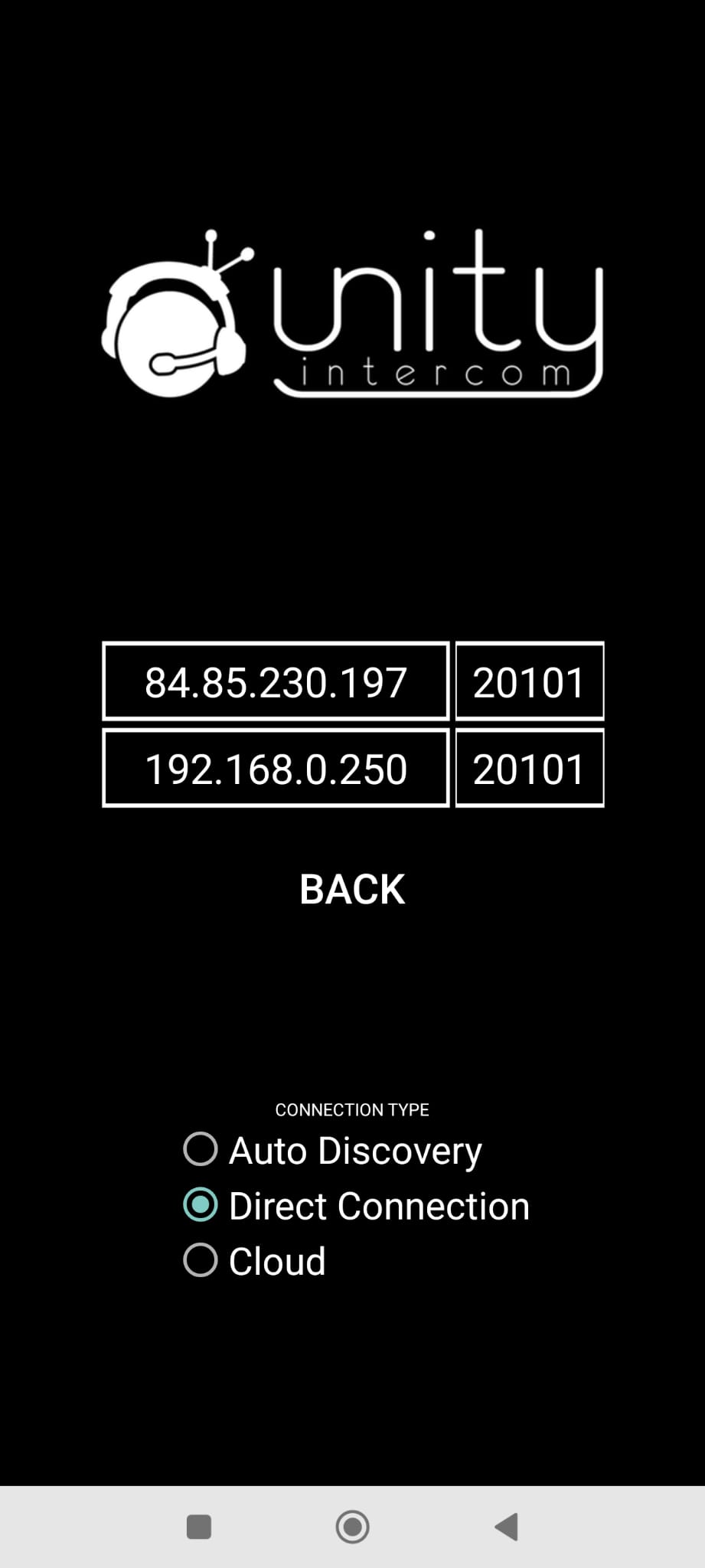
Make sure you have selectie “Direct Connection” and press “BACK”
You now can press “LOG IN” and you’re ready to go!
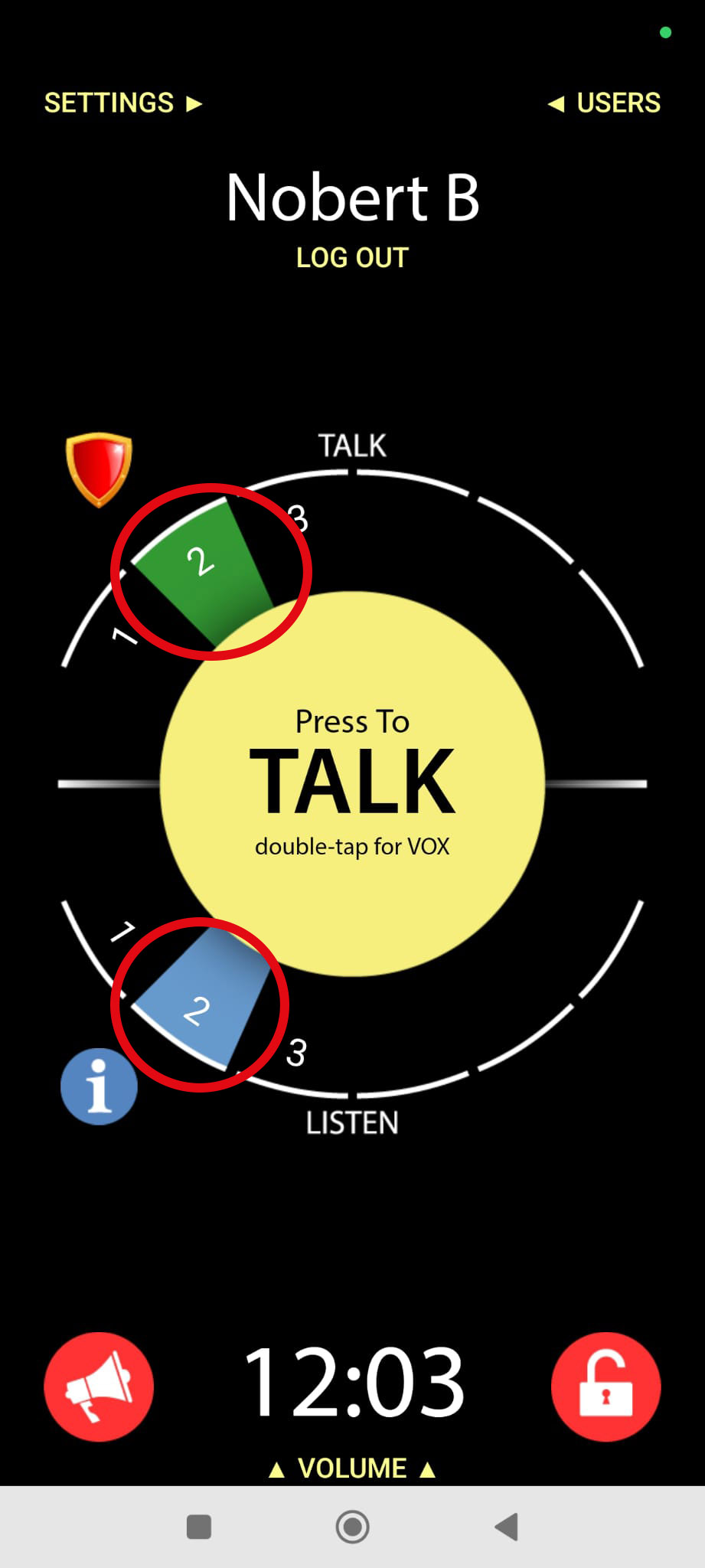
Make sure you’ve only selected “2” on “Talk” and “Listen”